


Description
After cleaning your screens, you may be left with some Hazing where the ink has remained stuck to the mesh and a ‘ghost’ image of the print remains, typically when using darker pigmented inks.
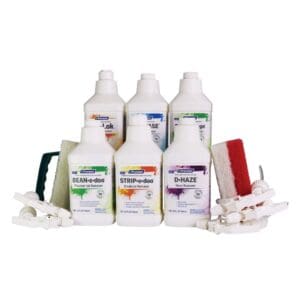
Spot On De-Haze is an easy to apply product ready to use from the bottle with no dilution needed. This can be used to remove ghost images and emulsion stains from the screen mesh.
This De-Haze gel offers an easy to apply medium that holds onto the screen and does not run off like traditional ghost image removers.
For Application:
Step 1- Remove all wet ink, screen tape and emulsion from your screen.
Step 2- Liberally apply Spot-On de-haze to both sides of the screen with a brush or biggie scrub pad and work the De-Hazer into the mesh.
Step 3- Leave on the screen for approximately 5-10 mins (no more than 10mins at a time as this is a fast working aggressive cleaner which can cause irreversible damage to the mesh if left for too long.) You may need to repeat this process if the hazing is stubborn and locked into mesh.
Step 4- Blast Hazing of the screens and rinse screens clean with a high pressure jet wash. Making sure all De-haze residue has been removed.
Step 5- Screens must be degreased with Spot On Degreaser after using this product.
*Please read SDS and use correct PPE when using this product, including protective eyewear.
Step By Step Reclaiming A Screen With Spot On
Step 1 – Emulsion removal.
Product: Spot On Stencil Strip or Spot on stencil strip gel
Step 2 – Ghost image removal. (if required)
Product: Spot On De Haze
Step 3 – Degrease.
Product: Spot on Degreaser
Note: For new screens being prepared for coating for the first time, Spot On Degreaser is advised to prepare the screen prior to coating.
More information.
If you would like more information then please give us a call on 0044 (0) 1562 829009 or use our Webchat or Email
SDS



Reviews
There are no reviews yet.